

What is Product Fruits?
You add Product Fruits to your app once. After that, your team builds Product Fruits Flows, Tours, Checklists, Hints, announcements, surveys and in-app help on its own, shows each one to the right users, and sees what works.
In short
- What it does: helps new users reach their first win, gets new features used, answers user questions in the app, and collects feedback.
- Who uses it: more than 1,300 product teams, mostly at software companies.
- What it costs: Starter begins at $111 a month at 1,500 MAU billed annually, or $149 billed monthly.
- Where your data lives: in the EU by default.
Who it's for
Product Fruits is built for the teams that own what happens after someone signs up:
- Product managers who want each new feature found and used.
- Growth and product marketing teams who want more trials to turn into paying customers, without filing a ticket for every change.
- Customer success teams who want to onboard more customers without adding more calls.
- Founders who want user onboarding done without pulling engineers off the core product.
Most of our customers sell B2B software. Product Fruits works in any web app where you can add our code.
How it works
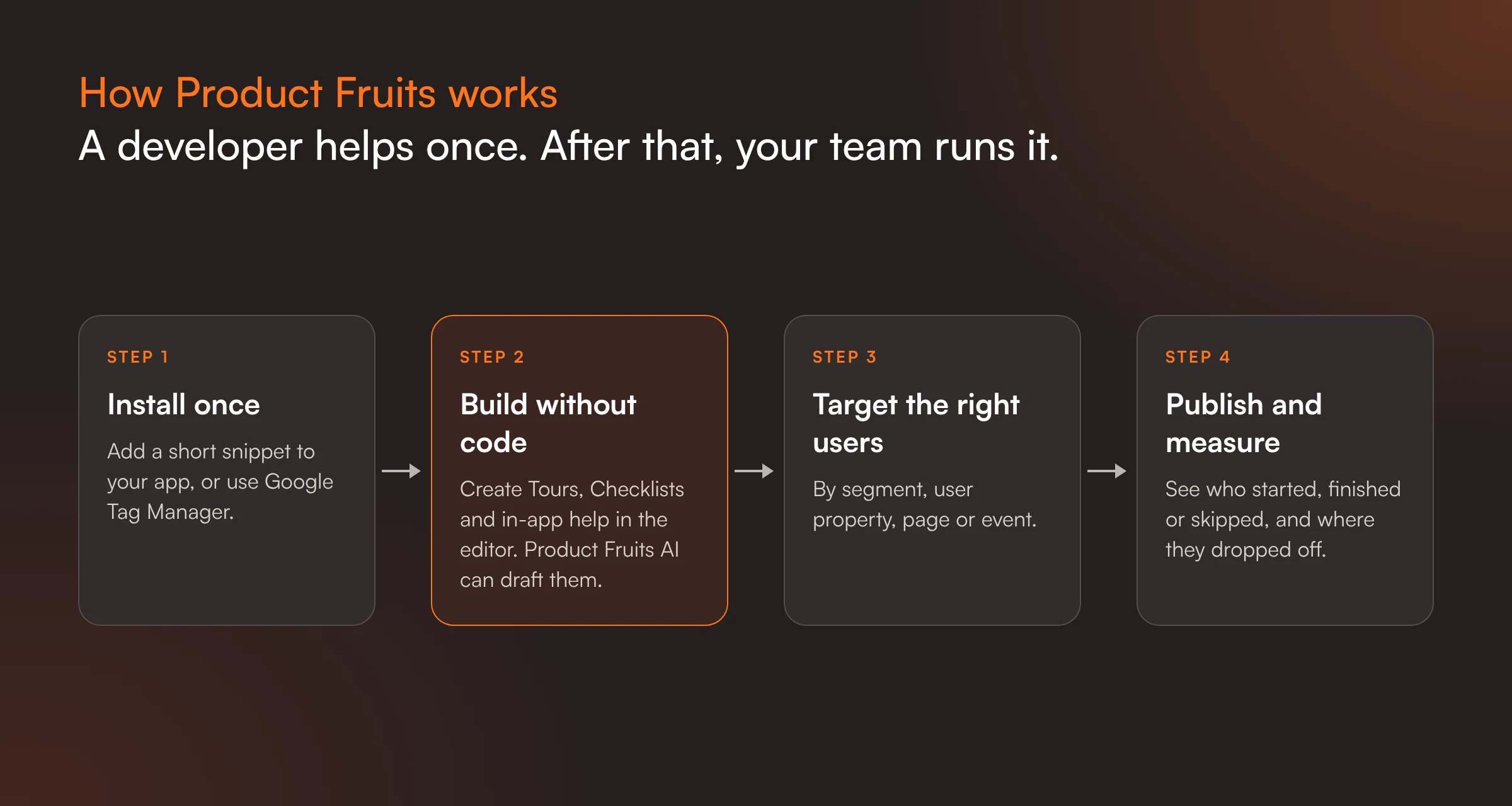
- Install once. A developer adds a short code snippet to your app, or you add it through Google Tag Manager. The snippet tells Product Fruits who the signed-in user is. It works with React, Next.js, Angular, Vue and single-page apps.
- Build without code. Create content in the Product Fruits editor and place it on your own pages with the browser extension. Product Fruits AI can draft the first version for you.
- Target the right users. Choose who sees what by segment, user property, page or event, so a new admin and a returning viewer get different help.
- Publish and measure. See who started, finished or skipped each item, and where they dropped off. Change it and publish again.
Your content runs on top of your app. Nothing in your own code changes when you edit a Flow or a Tour.
What you can build
Everything below is built in the same editor and targeted the same way.
Engage: guide users to their next step
- Product Fruits Flows are multi-step user onboarding paths that change course based on what each user does. On the Business plan, a Flow can also send emails through your own email provider and post to Slack.
- Tours walk users through a page or feature, one step at a time.
- Checklists show new users what to do next and how far they've come.
- Hints explain a button or field right where it sits.
Announce: make sure users see what you ship
- Pop-ups carry the news nobody should miss.
- Banners put a notice across the top or bottom of your app.
- The Newsfeed keeps every product update in one place inside your app, so users can catch up when they like.
Help and listen: answer questions and hear from users
- Elvin Copilot answers your users' questions inside your app (more below).
- The Knowledge Base puts help articles inside your app and, if you like, on a public page search engines can find.
- Surveys ask NPS and other short questions at the right moment.
- The Feedback Widget lets users report a bug or idea with a screenshot or screen recording.
Platform: connect and measure
- Analytics for every Flow, Tour, Checklist, Hint, announcement and survey, including who dropped off and where.
- Integrations with HubSpot, Segment, Mixpanel, Google Analytics, Slack, Salesforce and more, plus a JavaScript API and Zapier.
- Product Fruits MCP connects your Product Fruits data to AI assistants such as Claude and ChatGPT.
AI in Product Fruits
There are two AI features, and they do different jobs.
Product Fruits AI works for your team. It sits in the admin and drafts the first version of Flows, Checklists, emails and surveys. Describe what you want, or record it by clicking through your app. Your team edits and publishes.
Elvin Copilot works for your users. It's an AI assistant your users talk to inside your app. Elvin answers their questions from your help docs and Knowledge Base, in their own language. On Pro and higher plans, it can also guide a user through a task on their screen. When Elvin can't help, it hands the user over to your support team by chat or email.
Elvin Copilot is included on every plan. At 1,500 MAU, Starter includes 20 conversations a month, Pro 100 and Business 400.
Product Fruits MCP is a third way to use AI with Product Fruits. It lets your own AI assistant read your Product Fruits data, so you can ask questions like "Which Flow loses the most users?" in plain language. It is read-only and included in every plan.
What it costs
Starter begins at $111 a month at 1,500 MAU billed annually, or $149 billed monthly. Pro, Business and Custom plans add more content, languages, workspaces and integrations. Every plan is on our pricing page.
- What you pay for: monthly active users (MAU). Anyone who logs in to your product in a month counts once, however often they come back. There's no charge per Tour or Flow shown.
- If you go over: your Flows, Tours and Hints keep running. Elvin Copilot pauses for users above your limit, and we get in touch about a better plan.
- Free trial: 14 days, no credit card.
Security and your data
Product Fruits is a European company: Product Fruits s.r.o., based in Prague, Czech Republic.
- Where your data lives: in the EU by default, on AWS in Ireland.
- Certifications: SOC 2 Type 2 and ISO 27001.
- GDPR: we comply with GDPR and offer a Data Processing Addendum. Our subprocessors are listed on the subprocessors page.
- Account security: encrypted data at rest and in transit, multi-factor authentication, roles and permissions, and SAML single sign-on on the Business plan.
More on our Security and Privacy page and our GDPR page.
Who uses it, and what they got
More than 1,300 product teams use Product Fruits. We're rated 4.6 out of 5 on G2 from 265 reviews, and 4.7 out of 5 on Capterra.
Three results our customers measured themselves:
- Keboola, a data operations platform, got new trial users to activation 29% faster and saw conversion rise 8% after moving user onboarding into the product with Tours, Checklists and segmented paths. Read the Keboola story.
- Nodes&Links cut support tickets by 25% with Tours, Hints, a Knowledge Base and in-app announcements. Read the Nodes&Links story.
- Outsmart, part of the Visma Group, resolved 26% more support tickets after bringing help, feedback and product updates into one place in its app. Read the Outsmart story.
More on our case studies page.
What Product Fruits is not
- Not HR onboarding software. It doesn't handle contracts, paperwork or new-hire checklists. Some teams do use it to train their own staff on an internal web app.
- Not a product analytics suite. Product Fruits measures your Flows, Tours, Checklists and other content. For funnels across your whole app or session replay, most teams keep a tool like Mixpanel, Amplitude or PostHog and connect it.
- Not a tool for apps you don't own. Product Fruits runs inside your own product, for your own users. It isn't built to put guidance on top of third-party software like Salesforce or Workday.
Common questions
Do I need a developer?
Once, to add our script to your app. After that, your team builds and publishes without developers.
Does it work on mobile?
It works in web apps, including on phones and tablets. You can build content just for small screens and target it by device.
How is it different from a digital adoption platform?
Digital adoption platforms are often used to train a company's employees on software it bought. Product Fruits is for software companies that want their own customers to succeed in their own product: user onboarding, feature adoption, in-app help and feedback.
How much does Product Fruits cost?
Starter begins at $111 a month at 1,500 MAU billed annually, or $149 billed monthly. See every plan on our pricing page.
Is there a free trial?
Yes. 14 days, with no credit card.
Is Product Fruits GDPR compliant?
Yes. Your data is stored in the EU by default, on AWS in Ireland. We hold SOC 2 Type 2 and ISO 27001 and offer a Data Processing Addendum.
Can AI answer my users' questions?
Yes. Elvin Copilot answers your users inside your app from your help docs, on every plan. On Pro and higher plans, it can also guide them through a task on their screen.
Can AI help my team build content?
Yes. Product Fruits AI drafts Flows, Checklists, emails and surveys from a short description or a recording of you clicking through your app. Your team edits and publishes.
What does it integrate with?
HubSpot, Segment, Mixpanel, Google Analytics, Slack, Salesforce and chat tools such as Intercom, Zendesk and Crisp, plus a JavaScript API and Zapier. Product Fruits MCP connects your data to AI assistants such as Claude and ChatGPT.
Will we outgrow it?
Plans grow from Starter to Pro, Business and Custom. Business covers up to 40 languages, 100 workspaces and unlimited segments. Custom adds your own MAU limits and contract terms.