12 Best In-App Messaging Platforms for SaaS Companies in 2026


Unlike emails or push notifications, which often get ignored or buried, messages sent through an in-app messaging platform reach users at the exact moment they are most engaged, while they are actively using your product. That timing changes everything. It gives SaaS teams a level of precision and immediacy that email and social channels simply cannot match.
The result is communication that actually lands. Whether it is onboarding guidance, a feature update, or a well-timed upgrade nudge, an in-app message arrives when the user is most likely to act on it. But the market has shifted a lot since last year, and the tool you pick now needs to do more than show a pop-up. Below, we compare the 12 best in-app messaging platforms for SaaS in 2026, what each one does well, where it falls short, and who it fits.
TL;DR
- In-app messaging delivers pop-ups, banners, tooltips, and newsfeeds inside your product, so users see updates and guidance in context instead of in a crowded inbox.
- There are two broad categories: digital adoption platforms (built for onboarding, adoption, and in-product guidance in SaaS) and multichannel messaging platforms (built to coordinate push, SMS, and email, mostly for mobile and consumer apps).
- The biggest change in 2026 is that in-app messaging is no longer a standalone feature. The strongest platforms now let you trigger, branch, and integrate messages with the rest of your onboarding and support stack.
- Product Fruits is our top pick for web-based SaaS. It combines no-code in-app announcements with Flows (a visual canvas for branching, behavior-aware experiences) and Elvin, an in-app AI assistant that answers users and deflects support tickets.
- Pricing ranges widely. Entry points run from a free tier (OneSignal, Firebase) to $79 per month (Product Fruits) up to $249 to $299 per month and beyond (Appcues, Userpilot).
- If you run a web-based SaaS product and want onboarding, in-app communication, and AI support in one place, Product Fruits is the logical starting point. Start a free trial or book a demo.
First off, what is an in-app messaging platform?
An in-app messaging platform lets you place contextual messages directly inside your web or mobile product. Think of an in-app message like a prompt in a video game that tells you how to reach the next level. It shows up right where the user is, points them in the right direction, and disappears when the job is done.

In practice, these messages take the form of pop-ups, banners (as the one in picture above), slide-outs, tooltips, and newsfeed items. Teams use them to announce new functionality, invite users to a webinar, walk someone through a setup step, or increase the adoption of a feature that people keep overlooking. Because the message appears in the moment of intent, it drives far higher engagement than an email sent to an inbox the user may never open.
The key point for 2026: the best in-app messaging is targeted, not broadcast. A good platform lets you segment who sees each message and trigger it based on real behavior, so the right users get the right nudge at the right time.
See and hear Trond-Daniel Kastnes Kvalvik from Mystore.no why he and his team chose Product Fruits for in-app messaging and communication with users.
The two flavors of in-app messaging
Before you shortlist tools, it helps to know that in-app messaging platforms come from two different corners of the market, and they solve different problems.
Digital adoption platforms (DAPs) are built to streamline onboarding, product adoption, and retention for digital products like SaaS apps and web services. They may not cover a wide range of external channels, but they offer deeper, more user-centric in-product guidance: tours, checklists, hints, contextual announcements, and increasingly AI-driven help, all designed to improve interactions inside the product itself.
Multichannel messaging platforms, as the name suggests, focus on coordinating communication across many channels at once: push notifications, SMS, email, WhatsApp, and in-app messages. They shine for mobile and consumer brands that need to reach users across every touchpoint, inside and outside the app.
Both can technically send an in-app message. The difference is depth and purpose. Here is the quick comparison:
Top 12 in-app messaging platforms in 2026
In-app messaging platform #1: Product Fruits
If you are reading this on our blog, you probably already know a bit about us. If not, here is the gist.
Product Fruits is an all-in-one user onboarding and product adoption platform trusted by over 1,300 SaaS teams worldwide, including brands like KPMG, Visma, Rakuten, and Docebo. From in-app announcements to contextual hints and AI support, product, customer success, and growth teams use Product Fruits to simplify onboarding, drive adoption, and reduce support load, all without leaning on engineering.
Here is why Product Fruits is a strong in-app messaging tool in 2026:
- No-code in-app announcements. Launch pop-ups, banners, and newsfeed updates anytime, without filing a dev ticket. Non-technical teams build and ship in minutes, which is exactly what reviewers keep highlighting.
- Precise segmentation and triggering. Show the right message to the right users based on attributes, plan tier, custom events, or behavior. As Mystore, Norway's largest e-commerce platform, puts it, you can segment so that users who are not affected by an update never see the message at all.
- Rich media. Embed images, videos, GIFs, and buttons so a message conveys the full value of a feature, not just a line of text.
- Flows: messaging that connects to everything. This is the big change since our last update. Flows is a visual canvas where your in-app messages stop being isolated pop-ups and become part of a connected experience. You can branch based on who a user is, read and write user properties, wait for an event, and trigger actions like a Slack notification or an email. In other words, an announcement can now kick off a tour, update a segment, or alert your team, all in one place.
- Elvin, your in-app AI assistant. Product Fruits replaced the legacy life-ring help button with Elvin, an AI assistant that answers user questions right inside the app using your knowledge base. It works as a 24/7 self-serve support layer, deflecting repetitive tickets and handing off to a human with a ready-made summary when needed.
- Built-in feedback and surveys. Collect NPS, run in-app surveys, and capture feedback at the moment of friction, then route the results wherever your team works.

Reviewers back this up. Product Fruits holds a 4.7 on G2 and a 4.8 on Capterra, with in-app communication and ease of use as the most praised strengths. One Capterra reviewer sums it up:
"Product Fruits has made communicating with users so much more convenient. The learning curve was minimal, and it integrates smoothly into my workflow."
Another points to the no-code speed that in-app messaging is supposed to deliver:
"I don't need to rely on engineering or design resources since it's fully no-code, and I can share product updates seamlessly in just a few minutes. It really simplifies keeping users informed."
Best of all, Product Fruits offers this breadth at an accessible price. Plans start at $79 per month and scale with your active users, and pricing can be tailored to your needs.
Curious to see it on your own product? Book a demo or start a free trial.
See it in action: Later in this article, we break down how Mystore built its entire feature-launch and support workflow on Product Fruits in-app messaging, Flows, and Elvin.
In-app messaging platform #2: OneSignal
OneSignal is a customer engagement platform that helps companies of all sizes increase retention and revenue through fast, personalized messaging. It supports email, push notifications, in-app messaging, SMS, and other channels through webhooks.
.

Pros
- Clean, user-friendly interface
- Generous free tier for early-stage teams
Cons
- Message customization is fairly limited
- Reporting can be shallow, with dashboards focused on volume rather than segment-level insight
Pricing
OneSignal has a free plan that supports up to 10,000 subscribers and one active in-app message. Paid plans start with the Growth plan at $19 per month plus usage-based costs by channel, where in-app messaging is bundled with mobile push.
In-app messaging platform #3: Leanplum (now part of CleverTap)
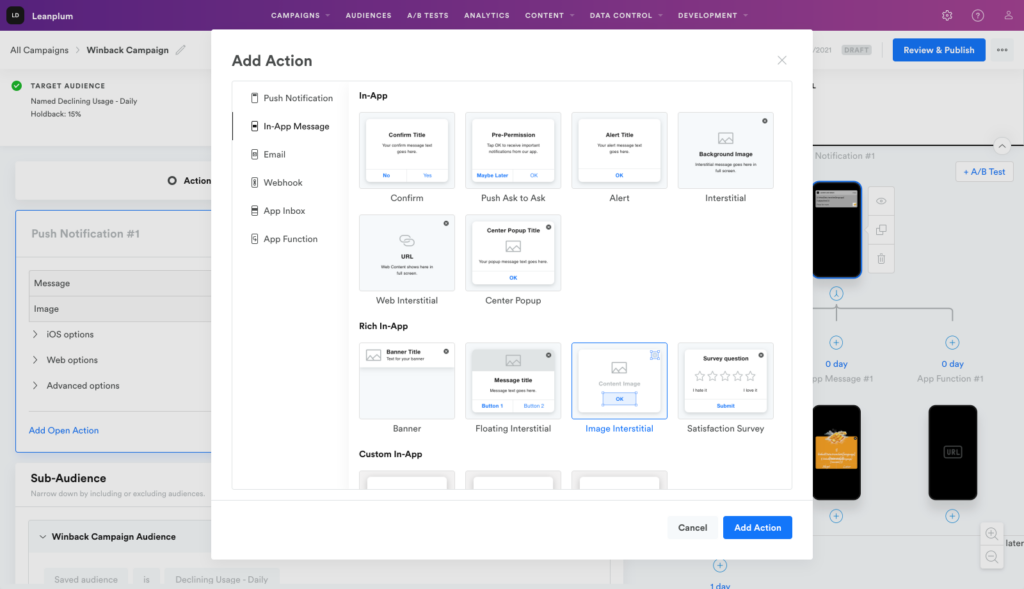
Leanplum is a multichannel customer engagement platform that personalizes and optimizes customer touchpoints inside and outside the app. Since being acquired by CleverTap, Leanplum is now part of the broader CleverTap retention and engagement stack, so buyers evaluating it today are effectively evaluating CleverTap's platform.
Pros
- Strong personalization for mobile messaging
- Well suited to lifecycle and email marketing
Cons
- Users note the UI and UX could be more intuitive
- Reporting has historically trailed some competitors
Pricing
Pricing is not published. You need to contact the CleverTap sales team for a quote.
In-app messaging platform #4: MoEngage
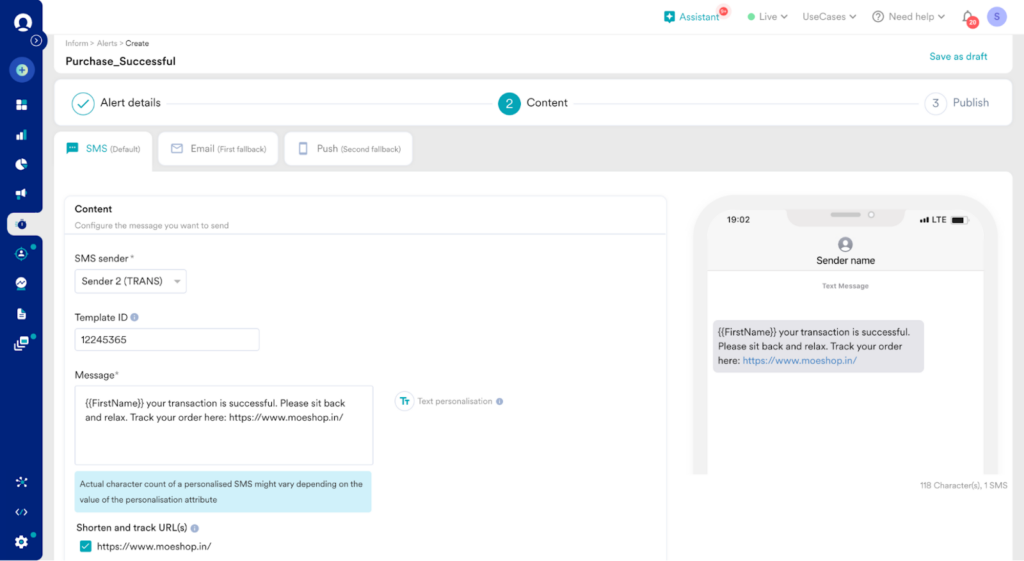
MoEngage is a cross-channel customer engagement platform built for marketers and product owners at consumer brands. It lets you reach customers across your website, email, mobile app, SMS, WhatsApp, and social.
Pros
- Measures user activity and tracks engagement with ease
- Integrates natively with Google Analytics for behavior-based targeting
Cons
- Best suited to the Google and mobile ecosystem
- Not an ideal fit for B2B SaaS teams focused on onboarding web users
Pricing
The in-app messaging feature is free, with pay-as-you-go pricing for other Firebase services as you scale.
In-App Messaging Platform #5: Firebase
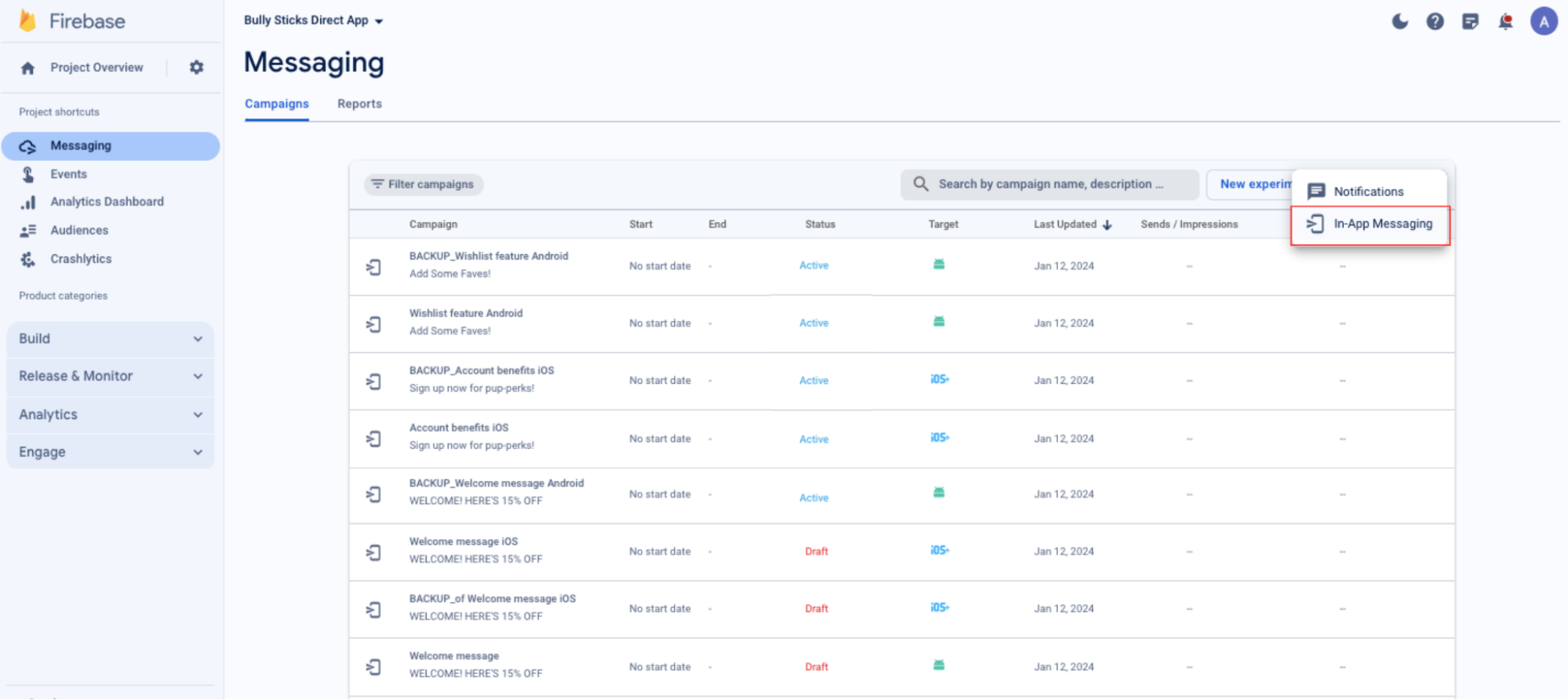
Firebase is a Google platform that adds engagement and messaging features to apps, with in-app messaging aimed at developers and marketers who want to target users by behavior, engagement, language, and location.
Pros
- Measures user activity and tracks engagement with ease
- Integrates natively with Google Analytics for behavior-based targeting
Cons
- Best suited to the Google and mobile ecosystem
- Not an ideal fit for B2B SaaS teams focused on onboarding web users
Pricing
The in-app messaging feature is free, with pay-as-you-go pricing for other Firebase services as you scale.
In-App Messaging Platform #6: Intercom
Intercom is an AI-first customer service platform that automates support with its Fin AI agent, which can resolve customer questions around the clock without human involvement.

Pros
- Polished, user-friendly interface
- Strong AI support automation across chat and help content
Cons
- Search and inbox organization can surface outdated threads
- Building custom workflows takes some effort
Pricing
Intercom uses seat-based plans plus outcome-based AI pricing. Its Fin AI agent is priced at roughly $0.99 per resolution, which can add up quickly at high support volumes.
In-app messaging platform #7: CometChat
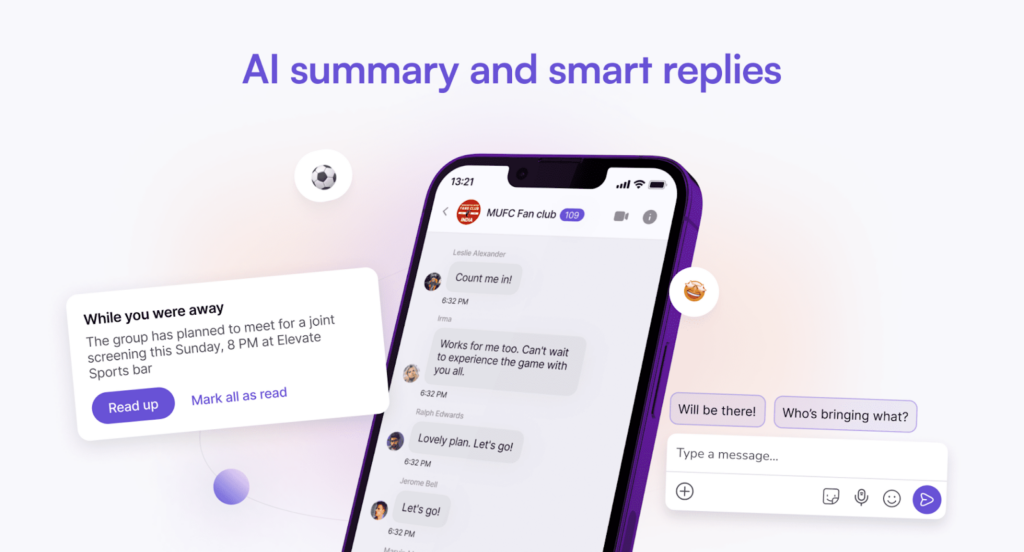
CometChat provides APIs that let developers add in-app text, voice, and video messaging to any mobile app or website. It focuses on user-to-user messaging, connecting people like marketplace buyers and sellers, providers and patients, or drivers and riders.
Pros
- Ideal for developers who want to build custom, user-to-user chat
- Reviewers frequently praise the responsive support team
Cons
- Some reviewers want more customization options
- Video features can be buggy or slow at times
Pricing
CometChat offers custom pricing based on usage, along with a free trial.
In-app messaging platform #8: Pushwoosh
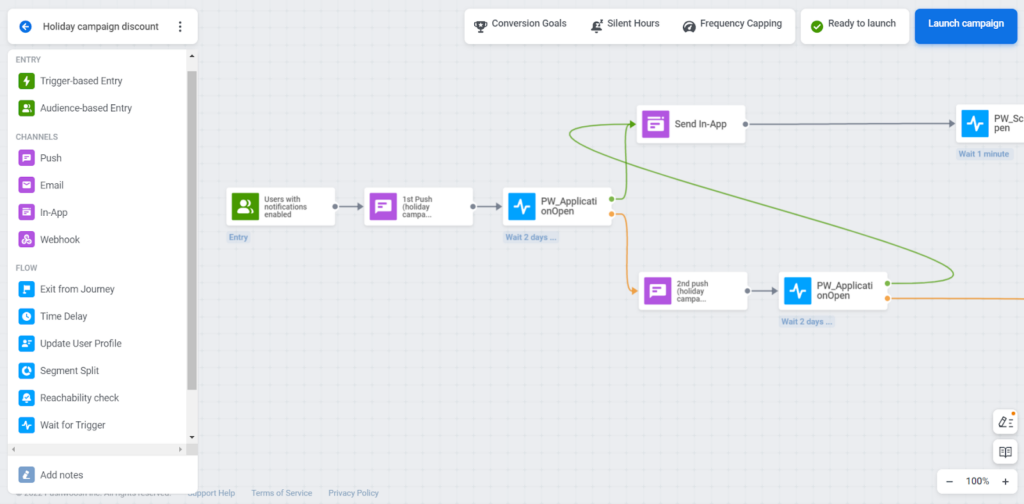
Pushwoosh is a customer engagement platform for mobile apps. It simplifies omnichannel messaging, letting marketers and product managers send push notifications, in-app messages, email, SMS, and WhatsApp from one place.
Pros
- Easy to segment users across campaigns
- Separate dashboards per channel make performance easy to track
Cons
- Focused on mobile apps, so it is not a fit for every SaaS team
- Tracking users across multiple devices can be tricky
Pricing
Paid plans start around $49 per month.
In-app messaging platform #9: Userpilot
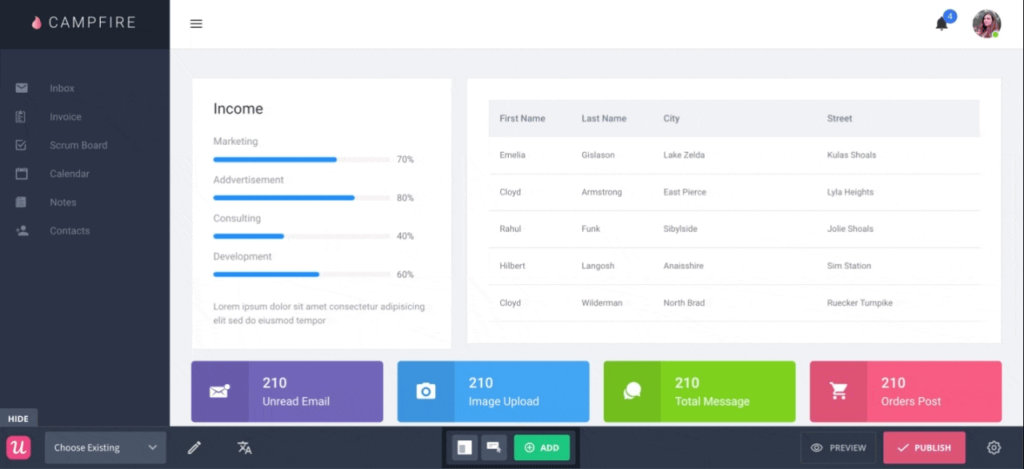
Userpilot is a no-code digital adoption platform that helps product teams target users by behavior, launch product announcements, improve UX and adoption, deliver self-serve support, and collect in-app feedback.
Pros
- Many customization options for in-app guidance
- Content localization in multiple languages
Cons
- One of the pricier options on this list
- Fewer native integrations than some competitors
Pricing
Userpilot's Starter plan now runs at $299 per month for up to 2,000 monthly active users, with the Growth plan starting around $799 per month. Costs scale as your user base grows.
🍇 Check out how Userpilot stacks up against Product Fruits
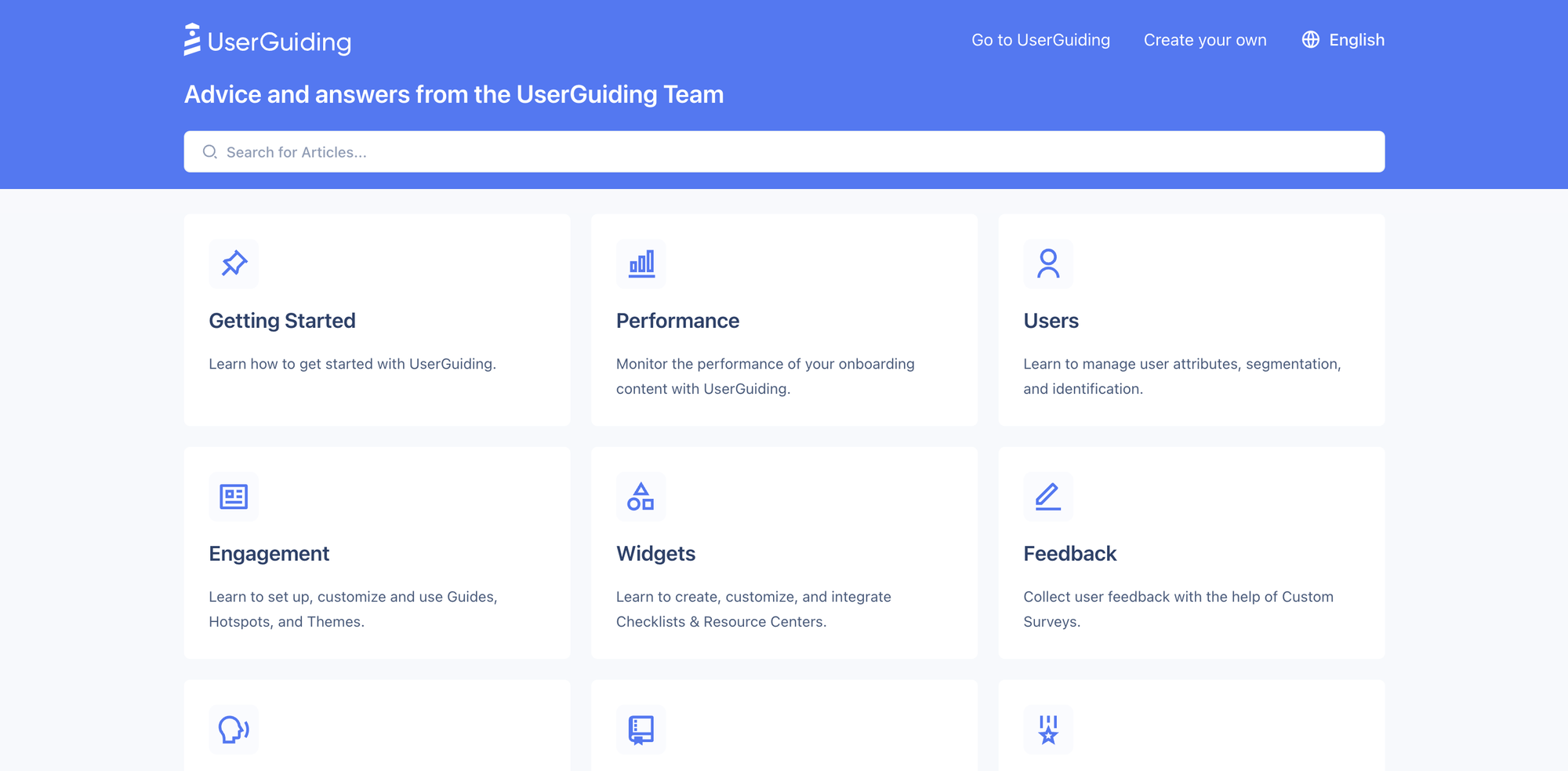
In-app messaging platform #10: UserGuiding
UserGuiding is a product adoption platform that lets teams build and improve in-app guidance with no code, often in minutes.
Pros
- Chrome extension makes it easy to capture screens for onboarding
- Customize onboarding flows to match your brand
Cons
- Personalizing tours for different user groups can feel limited
- Setting up integrations can take some trial and error
Pricing
UserGuiding has repositioned upmarket. On annual billing, the Starter plan now starts at $174 per month and the Growth plan at $349 per month, with monthly billing higher still. There is also a free support tier for its knowledge base and AI assistant.
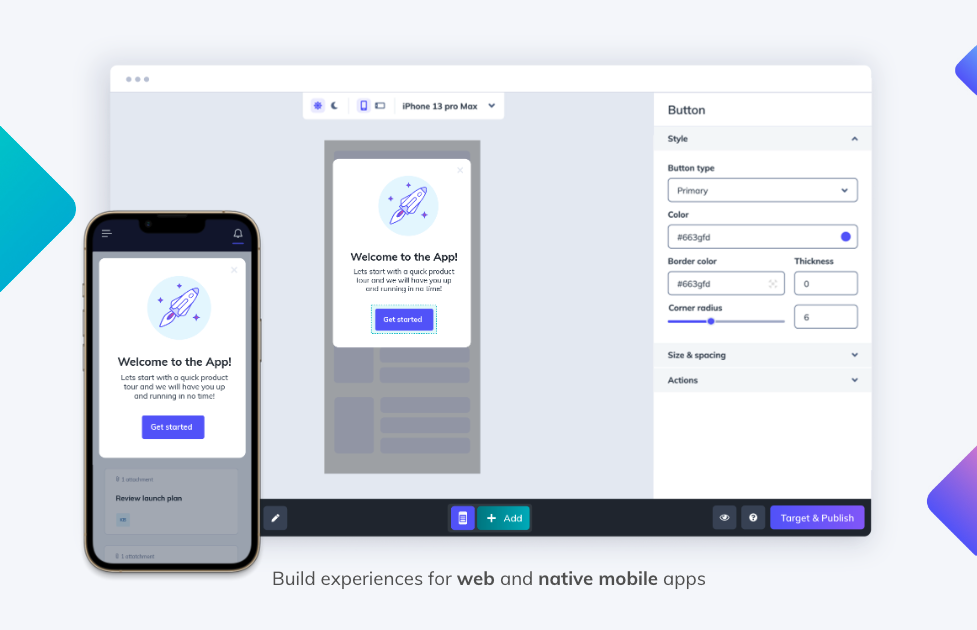
In-app messaging platform #11: Appcues
Appcues is a digital adoption platform that helps you create in-app guidance for feature announcements, onboarding, and product updates.
Pros
- No-code and easy to use
- Personalized messages based on user flow
Cons
- Fewer advanced personalization options than some tools here
- Higher price point that can strain SMB budgets
Pricing
Appcues' entry-level Essentials plan starts at around $249 per month for up to 2,500 monthly active users on annual billing, with pricing scaling by user volume.
🍇Psst; check out why Product Fruits is a better alternative to Appcues here
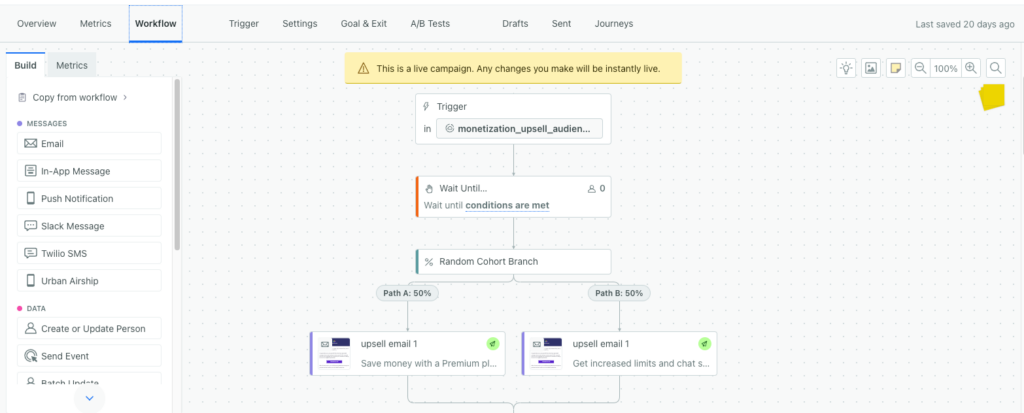
In-app messaging platform #12: Customer.io
Customer.io is a customer engagement platform for building personalized customer journeys that engage, convert, and scale. It uses first-party data to send messages across email, in-app, push, SMS, and webhooks.
Pros
- Easy to use with no technical expertise required
- Webhooks make it simple to integrate with other platforms
Cons
- Limited manual control over segmented lists during a campaign
- Fewer options for customizing and designing emails
Pricing
The starter plan begins at around $100 per month.
In focus: how Mystore runs everything on in-app messaging
The clearest way to understand what modern in-app messaging can do is to watch a team push it to its limit. Mystore, Norway's largest e-commerce platform and part of the Visma Group, serves more than 1,100 online stores and 500-plus point-of-sale locations. It runs its entire feature-launch and support motion on Product Fruits.
Every launch now follows one connected sequence, all built in-app with no developer time:
- A segmented banner tells only affected customers that a new version is ready to test.
- A guided tour triggers on first visit to the new feature and walks users through the key actions.
- A custom event survey fires after 10 interactions, and results post automatically to a Slack channel for real-time developer feedback.
- A countdown notice appears a week before a legacy feature retires.
- A welcome modal greets users on switchover day and offers the full tour.
Because every message is segmented, only the right stores ever see a given banner. That precision reduces noise, protects user trust, and deflects tickets before they are created. In the words of Mystore's product manager and team leader, Trond-Daniel Kastnes Kvalvik:
"We're always able to give insights to our users directly in the application, and we can segment it so that users who have not been affected will not see it."
Support tells the same story. Mystore routes users to Elvin first, and within 90 days it autonomously resolved close to 60% of inquiries. A custom API trigger let the team retire the direct-to-human button entirely, so every conversation now starts with the AI assistant and escalates only when it genuinely cannot help.
"Elvin has been a massive success for us. In just 90 days, it autonomously resolved nearly 60% of our inquiries, allowing our support team to step away from repetitive tasks and focus on high-value projects. It's not just a tool, it's a total shift in how we scale."
The takeaway for anyone comparing platforms: in 2026, the value is not in the pop-up. It is in how the pop-up connects to segmentation, guidance, automation, and AI support. You can read the full story in the Mystore case study and the deeper walkthrough of how Mystore onboards 1,200-plus stores at scale.
Why look for an in-app messaging tool?
Improve engagement and retention. In-app messaging lets you engage users inside the product, exactly where decisions get made. You can guide people through onboarding, offer timely support, and share updates without pulling anyone out of the app. If you notice users dropping off during setup, a contextual tip or short tutorial can guide them step by step and lift completion.
Drive conversions and upsells. In-app messages let you nudge users toward premium features or higher tiers at the right moment. When someone hits a usage limit on a free plan or opens a paid feature, a well-timed message can present a clear upgrade path. Mystore does exactly this, showing users on lower plans a friendly, in-context prompt about what an upgrade unlocks, right when they are already interested.
Boost new feature adoption. Users often miss advanced features that would improve their experience. A contextual in-app message can surface those features, explain the benefit, and link to a guide, so more of what you ship actually gets used.
What to look for in in-app messaging software
Segmentation and targeting. Every user has a different journey. Your platform should support advanced segmentation based on user data like onboarding progress, feature usage, plan tier, or subscription status, so each message is relevant rather than noise.
Rich media support. A plain text box rarely conveys a feature's value. Look for support for images, videos, GIFs, and interactive elements like buttons and in-app surveys, so you can show, not just tell.
Trigger-based and connected messaging. Timing is everything. Your team should be able to trigger messages on real behavior, like a first login, a completed purchase, or an abandoned action. In 2026, raise the bar further: the best platforms let a message branch on user properties and trigger downstream actions, such as starting a flow, updating a segment, or notifying your team in Slack. That is the difference between a static pop-up and a connected experience.
AI-powered self-serve support. Increasingly, in-app messaging overlaps with support. An in-app AI assistant that answers questions from your knowledge base can deflect repetitive tickets and keep users inside your product instead of your inbox.
Analytics and reporting. You need to measure what works. Look for reporting on opens, clicks, and completion, plus A/B testing so you can optimize each campaign over time.
Choose the best in-app messaging platform today
There is no shortage of in-app messaging software, and each tool solves a slightly different problem. If you mainly need push notifications for a mobile or consumer app, OneSignal or MoEngage may fit. If you need developer-built, user-to-user chat, look at CometChat or Intercom.
But if you run a web-based SaaS product and want one platform to onboard users, communicate in context, and deflect support tickets, all without waiting on engineering, Product Fruits is the logical choice. It brings in-app announcements, Flows, and Elvin AI together, so your messaging connects to the rest of the user journey instead of living in a silo. That is why teams like Mystore run their entire launch and support motion on it.
Try Product Fruits in-app messaging today. Start your free trial or book a demo to see how in-app messaging can power your onboarding and retention strategy.
Frequently asked questions
What is an in-app messaging platform?
An in-app messaging platform is software that delivers contextual messages, like pop-ups, banners, tooltips, and newsfeed items, directly inside your web or mobile product. Because messages appear while users are active in the app, they drive higher engagement than email or push. Teams use them for onboarding, feature announcements, upgrade nudges, and in-product support.
What is the difference between a digital adoption platform and a multichannel messaging platform?
A digital adoption platform (like Product Fruits, Userpilot, or Appcues) focuses on onboarding, adoption, and in-product guidance for SaaS, with deep tools like tours, checklists, and flows. A multichannel messaging platform (like OneSignal or MoEngage) focuses on coordinating outreach across push, SMS, email, and in-app, and is usually a better fit for mobile and consumer brands.
What is the best in-app messaging platform for SaaS in 2026?
For web-based B2B SaaS, Product Fruits is our top pick because it combines no-code in-app announcements with Flows for branching, behavior-aware experiences and Elvin for AI-powered in-app support. It holds a 4.7 on G2 and 4.8 on Capterra. Userpilot, Appcues, and UserGuiding are also strong digital adoption options, though generally at higher price points.
How much does in-app messaging software cost?
Pricing varies widely. Free tiers exist (OneSignal and Firebase both offer one), while dedicated SaaS adoption platforms typically start higher. Product Fruits starts at $79 per month, UserGuiding at $174 per month on annual billing, and Appcues and Userpilot around $249 to $299 per month. Most tools scale pricing with your monthly active users, so model your growth before committing.
How do I make in-app messages more effective?
Segment your audience so each message is relevant, use rich media to convey value, and trigger messages on real behavior rather than broadcasting to everyone. The most advanced setups connect messages to downstream actions, so an announcement can launch a tour, update a segment, or notify your team automatically. Then measure opens, clicks, and completion, and A/B test to improve.
Can in-app messaging reduce support tickets?
Yes. Two mechanisms help. Segmented, proactive announcements deflect tickets by informing only affected users before they ask, and an in-app AI assistant answers common questions from your knowledge base. Mystore combined both on Product Fruits and Elvin autonomously resolved close to 60% of support inquiries within 90 days.
What is Product Fruits Flows, and how does it relate to in-app messaging?
Flows is Product Fruits' visual canvas for building guided, multi-step in-app experiences. Unlike a static pop-up, a Flow can branch based on user properties, wait for events, and trigger actions like Slack messages or emails. That means your in-app messages connect to onboarding, segmentation, and automation instead of standing alone, which is the biggest shift in in-app messaging for 2026.


Weekly newsletter
Get the latest releases, tips, articles, and exclusive interviews delivered to your inbox weekly—no spam!