From Hours to Seconds: How Product Fruits One-Click Translations Are Changing Multilingual Onboarding


From Hours to Seconds: How Product Fruits One-Click Translations Are Changing Multilingual Onboarding
Stop translating your onboarding manually. There's a better way – and it takes 20 seconds. Literally.
If you've ever tried to localize a product tour, you know the drill. Export your text, paste it into a translation tool, copy the result back, rebuild the step in the correct language, check the layout hasn't broken, repeat for every card, every button, every popup – then do it all again for the next language. For a five-step tour in three languages, you're looking at an afternoon of work before you've even checked whether the translations actually read naturally.
This is the reality for most SaaS and software companies today. Localized onboarding is widely recognized as critical for user adoption and retention – especially for products operating in international markets, yet the manual effort involved routinely pushes it to the bottom of the priority list. The result: your English-speaking users get a polished, guided experience, while users in Germany, Brazil, or Poland are left to figure it out themselves.
At Product Fruits, we have a direct answer to this problem: one-click automatic translations, powered by AI, that translate your entire onboarding experience in under 20 seconds.
Watch our Solution Engineer Adam Trnka demonstrating the one-click auto translations in our recent webinar:
Product Fruits is a user onboarding platform that helps SaaS and software companies build, automate, and optimize in-app onboarding experiences. Features include product tours, hints, checklists, announcements, surveys, and Elvin – the AI copilot for adaptive, multilingual user support. Learn more at productfruits.com.
Why Multilingual Onboarding Is Non-Negotiable
When a user sees a guided tour in their own language on day one, it signals that your product was built for them. This isn't only about comprehension - it's about trust, confidence, and reducing the cognitive load of learning a new tool alongside an unfamiliar language.
For SaaS companies, the business case is straightforward: users onboarded in their native language activate faster, generate fewer support tickets, and stick around longer. The case against localized onboarding has never been the strategy - it's always been the cost and operational complexity of executing it. That equation has now changed.
The Old Way: Manual Translation as a Productivity Trap
To understand why one-click translations matter, it's worth being honest about what manual translation workflows actually look like in practice.
- The copy-paste method - taking content to Google Translate, DeepL, or a general-purpose LLM like ChatGPT - is the most common approach. It seems fast until you account for everything that surrounds the translation itself. You need to identify every piece of text in your tour, export it, translate it, re-import it, and then rebuild the entire content structure in the target language within your onboarding platform. Buttons, navigation text, headers, tooltips – each element needs to be handled separately. If your tour has 8 steps and you're targeting 4 languages, you're making 32+ individual edits before you even consider QA.
- The table export/import approach used by many platforms (including our own legacy bulk translation feature) is better, but still requires significant effort: exporting content, managing spreadsheet columns, getting translations from an external source, and re-importing. It's one step removed from manual, but it still breaks the creative and editorial flow.
- The "create separate tours per language" approach is the most labor-intensive of all. Some teams manage this by maintaining completely separate onboarding flows for each language, which means every content update needs to be replicated across all language versions. The maintenance burden alone is enough to kill a localization program within months.
In all these cases, the core problem is the same: your team's time and creative energy are being spent on mechanical translation work rather than on making the onboarding experience itself better.
How Product Fruits One-Click Translations Work
Product Fruits' automatic translation feature flips this entirely. Instead of exporting and rebuilding, you stay inside the ProductFruits editor or administration interface and translate any content - tours, popups, banners, hints, buttons - with a single action.
The workflow is straightforward:
1. Build your onboarding content in your primary language as you normally would.
2. Open the translation settings and select the target language.
3. Click translate.
In roughly 20 seconds, your content is fully translated - all steps, all cards, all button labels - with the original design and structure preserved exactly as you built it.
This isn't rough machine translation requiring extensive cleanup. The AI-powered translation engine produces output that reads naturally across languages, including handling regional variations. Results hold up well even for native speakers, with minor exceptions occasionally arising from regional dialects (such as differences between Brazilian and European Portuguese, or Latin American and Castilian Spanish) – these take seconds to correct manually if needed.
The feature works across every content type in ProductFruits: multi-step tours, pop-up announcements, banners, hint beacons, and all associated UI text, including button labels and navigation elements. It applies equally to freshly created tours and to existing content built previously.
Beyond Translation: Elvin AI and Always-On Multilingual Support
One-click translations solve the problem of pre-built content. But what happens when your users need help that goes beyond the tour you scripted?
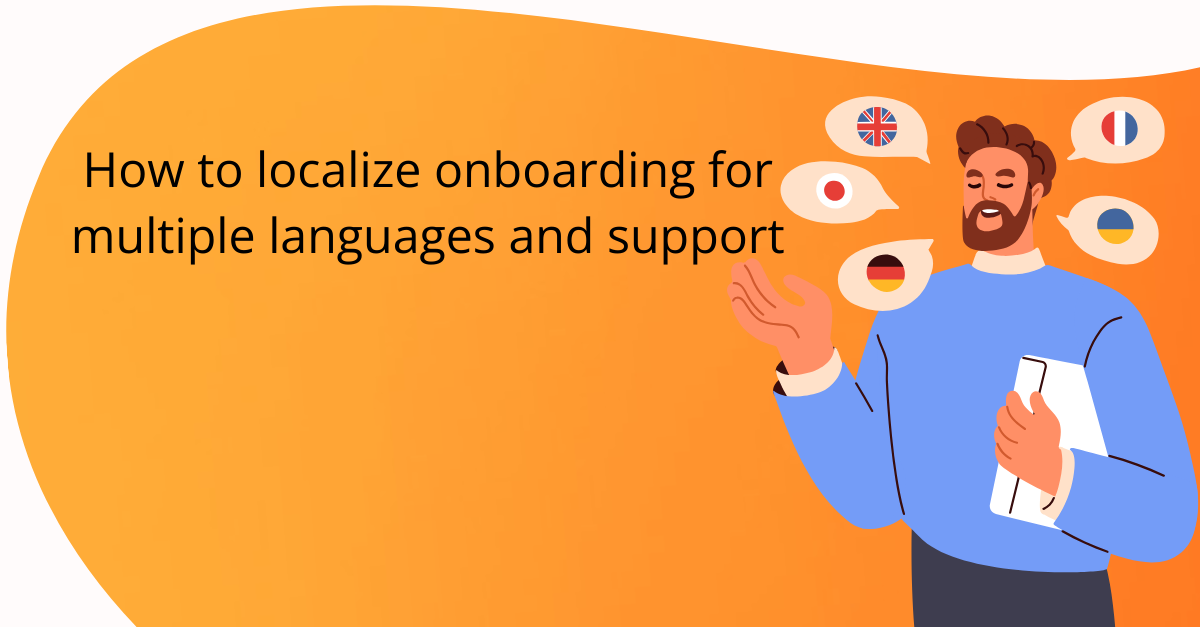
Elvin, Product Fruits' AI copilot, speaks every language by default. Rather than creating and maintaining separate knowledge base content or help documentation for every language you support, Elvin responds to user questions in whatever language the user writes in - even if your underlying knowledge base is entirely in English.
A user in Prague (a beautiful city, Product Fruits actually comes from) typing a question in Czech gets a Czech-language answer, sourced from your English documentation, without you having to create or maintain any Czech content. The same applies to Italian, Portuguese, Japanese, or any other language your user base speaks.
This shifts multilingual onboarding from a maintenance problem into a configuration problem. You maintain one authoritative set of product knowledge, and Elvin handles the linguistic delivery layer for every market you serve. Combined with one-click translations for your structured tour content, you have full multilingual coverage - guided and conversational - without parallel content libraries.
See how always-on multilingual support works with Elvin AI
From Zero to Multilingual in Under 3 Minutes
The practical impact of combining both features becomes clear when you map out the timeline.
With the traditional approach, getting a new product tour live in three languages - say, English, German, and French might take 2–4 hours minimum, assuming translations are already ready. If you're sourcing translations yourself, add time for that work plus QA across all three versions.
With Product Fruits
- Build the tour in your primary language: as little as 5-10 minutes with the visual editor, less if you use Elvin to draft your tour copy and step text.
- Apply one-click translations to each additional language: roughly 20 seconds per language.
- Total time for the translation step: under 3 minutes, regardless of how many languages you're adding on. This isn't a marginal efficiency improvement. It's a different category of work.
What This Means for Your Localization Strategy
The operational shift has strategic implications beyond saving time.
Lower barrier to localizing more content. When translation takes hours, you prioritize ruthlessly - only the most critical flows get localized. When it takes seconds, the calculus changes. Edge-case flows, secondary user journeys, and new feature onboarding that would never have justified the effort before now get localized as a matter of course.
Faster iteration cycles. When you update content in your primary language, keeping translations in sync no longer requires a separate project. Your localized experiences stay current rather than drifting as your primary content evolves.
No dependency on external tools or workflows. Translation happens inside the Product Fruits platform, in context. Your team doesn't need to coordinate with translation vendors, manage spreadsheet exports, or maintain parallel content in separate tools.
Consistent structure across all languages. Because the translation engine preserves your original design and layout, every language version of your tour looks and behaves identically to the source. Formatting doesn't break, steps don't reorder, button styles don't diverge between language variants.
A practical path to launching multilingual from day one. For companies building products for international markets from the start, this eliminates one of the most common reasons for shipping English-only onboarding. With sub-3-minute localization, there's no practical reason not to.
The Bottom Line
Manual translation of onboarding content is a solved problem. Copying text to external tools, managing spreadsheet exports, and rebuilding content structures for every new language are all part of a workflow that no longer needs to exist.
Product Fruits one-click translations, combined with Elvin's native multilingual AI capabilities, make comprehensive localization accessible to any team - regardless of size, budget, or whether you have a dedicated localization function. The result is onboarding that meets users in their language, from day one, in the time it takes to make a cup of coffee.
For SaaS and software companies with any international userbase, there's now a clear path from "we'd love to do multilingual onboarding" to "it's already live."
Ready to see it in action? Start a free trial or book a demo at productfruits.com.
Frequently Asked Questions
How many languages does Product Fruits support for automatic translation?
Product Fruits supports a wide range of languages(59 at the time of writing this) through its AI-powered translation engine. You define which languages your application supports in Workspace Settings, and those become the available targets for both manual editing and one-click automatic translation.
Can I edit AI-generated translations after they're created?
Yes. Every translated version of your content is fully editable in the Product Fruits editor, exactly like your primary language version. You can review, adjust, and refine any translated text at any time without affecting other language versions.
Does one-click translation work on existing tours, or only new ones?
It works on both. The feature applies equally to freshly created content and to tours, hints, or announcements you built previously —there's no distinction in how it handles new versus legacy onboarding material.
How does Product Fruits detect which language to show each user?
Language is determined by the language parameter you pass during Product Fruits installation, which tells the platform which localized version to display to each user. If your application allows users to switch languages at runtime, Product Fruits handles this through a reinitialize pattern.
Is right-to-left language support included?
Yes. Right-to-left language support (Arabic, Hebrew, and others) is included natively. Product Fruits inherits RTL settings directly from your application, and the knowledge base editor also supports RTL content authoring.
What happens if a translated version has regional dialect differences - for example, Brazilian vs. European Portuguese?
The AI translation engine handles most regional variations well. In cases where regional dialect differences matter (such as Brazilian Portuguese vs. European Portuguese, or Latin American vs. Castilian Spanish), any minor adjustments can be made manually in the editor in seconds.
Product Fruits is a user onboarding platform that helps SaaS and software companies build, automate, and optimize in-app onboarding experiences. Features include product tours, hints, checklists, announcements, surveys, and Elvin – the AI copilot for adaptive, multilingual user support. Learn more at productfruits.com.


Weekly newsletter
Get the latest releases, tips, articles, and exclusive interviews delivered to your inbox weekly—no spam!