"The editor for building flows is really difficult to use. Frequently changes are lost and have to be redone. Reporting is very difficult to gain any value from. No connection with other systems."
Why product teams are leaving Userpilot for Product Fruits
Teams leave Userpilot when weeks of learning turn into months of upkeep. Product Fruits is the AI-powered Userpilot alternative that gives you adaptive onboarding flows without the setup complexity or the yearly lock-in.
AI onboarding agent
Launch faster, with zero manual work
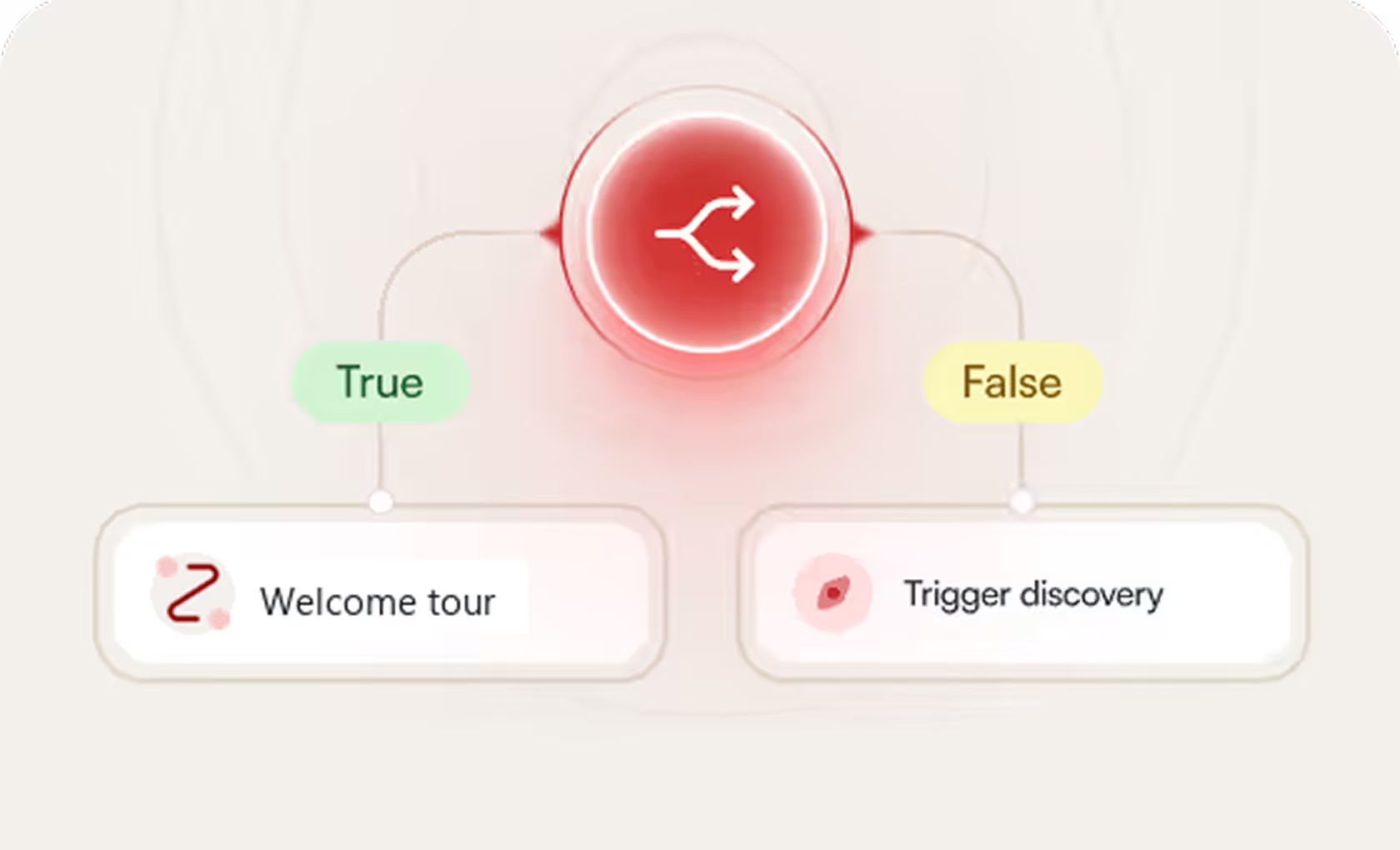
Adaptive onboarding flows
A path matched to each user’s goal
No forced annual contract
Scale on your terms
No credit card needed • Free 14-day trial


Trusted by 1,300+ teams
to onboard and retain users











The #1 Rated Userpilot Alternative on G2
From daily admin to support, verified G2 users rank us higher vs Userpilot across the board.




Meets Requirements
Ease of Use
Ease of Admin
Quality of Support
Ease of Doing Business With
Starting at








User Onboarding & Support
Adaptive onboarding flows
Multichannel, AI-powered onboarding that adjusts to each user in real time.
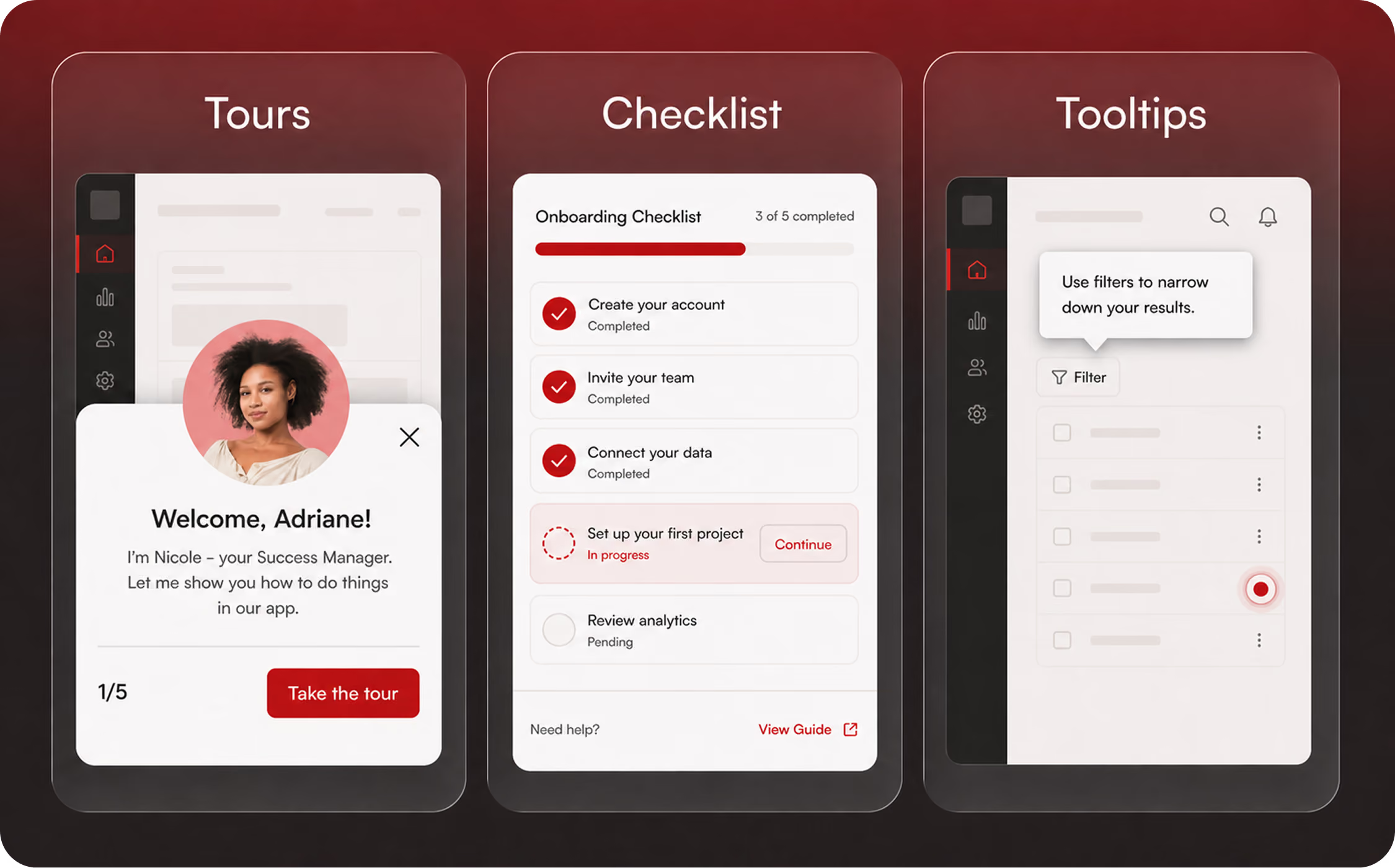
Static tours & guides
Step-by-step tours following a fixed script.
On-demand guides
When users ask “How do I…?” Elvin copilot launches a dynamic tour right inside the app
Conversational onboarding
Onboarding flows powered by two-way conversations with your users.
Hints, tooltips & beacons
Contextual hotspots drawing user's attention to a particular UI element or feature.
Checklist widget
In-app checklists motivating users to complete all onboarding steps by showing them what they accomplished and what's ahead.
Embedded checklist
Directly integrate the checklist into your application's UI to guide users without using a separate popup or widget
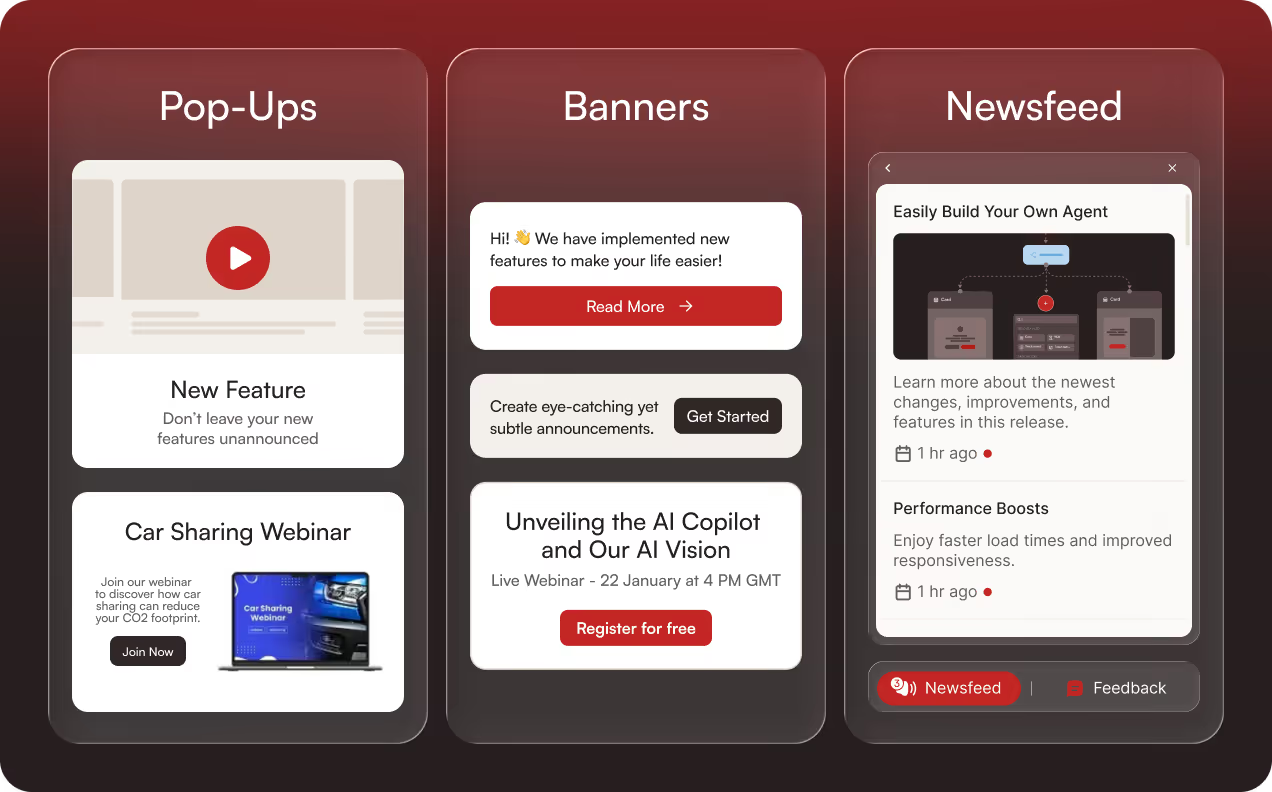
Banners & pop-ups
Modals, pop-ups and banners for release notes, maintenance alerts, webinar invitations, new feature announcements and other important updates.
In-app newsfeed
A dedicated space where users can catch up on updates, tips, and announcements.
NPS
Measure user loyalty by asking how likely they are to recommend your product to others.
In-app surveys
In-app surveys to measure satisfaction and capture insights.
Upgrade
User feedback widget
Allows users to send comments or report bugs using screenshots and video recordings.
In-app help center
In-app help center for all things support. Can be integrated with any 3rd party live chat tool.
Upgrade
Support copilot
Automatically resolve 93% of support questions.
AI content creation
Let Elvin AI help you build tours, announcements and surveys in seconds. Just describe what you want to achieve
Upgrade
Knowledge base
Keep your company's knowledge organized and easily accessible
Custom CSS
Advanced styling supported via custom CSS.
Upgrade
Auto-translations
Automatically translate onboarding flows to your user's preferred language.
Upgrade
Discoveries
AI-driven conversations that replace static surveys and automatically surface structured insights from user responses.
User Targeting
Audience segments
Target a group of users sharing the same attributes. Combine segments and events for increased precision.
Dynamic personalization
Personalize the content of your flows with user attributes.
Dynamic URLs (wildcards)
Use placeholders to represent variable parts of URL so your content works across different user IDs or project pages.
Custom events
Trigger flows when a user clicks on a specific element in your app.
Upgrade
Integrations
3rd party analytics
Automatically push onboarding events to your analytics platform.
Stream Product Fruits events to Segment and push Segment data to Product Fruits for segmentation and targeting.
3rd party chat widgets
Integrate any 3rd party chat widget in the help center to create a single point of contact for your users.
HubSpot
2-way integration (Product Fruits events to HubSpot contact timeline, contact property to Product Fruits for targeting).
Upgrade
Salesforce
Send and receive data from Salesforce for advanced segmentation, more granular targeting etc.
Upgrade
Upgrade
ActiveCampaign, Customer.io
Push Product Fruits events to your marketing automation platform.
Slack
Receive Product Fruits notifications in your Slack.
Zapier
Automate tasks by linking Product Fruits to various apps.
Webhooks
Trigger automated updates by sending event data to external systems.
Upgrade
Account & Support
Staging environment
Test and refine your content in a secure environment to ensure everything works perfectly before you go live.
Upgrade
Synchronize your user data with Product Fruits and track events directly from your back-end.
Upgrade
Customer support
Live chat, email
Live chat, email
G2 review rating
4.7 out of 5
4.6 out of 5
Pricing
Starting at
$187
$299
Everything Userpilot does.
Plus a flow builder on every plan. Minus the learning curve.
Onboarding that works
Your product is amazing. Make sure your users feel it right away. With Product Fruits you build tours, checklists and hints yourself. No dev ticket. And they don't break every time your devs update CSS, thanks to our text targeting feature.
Tours walk new users through the steps your CSM used to demo on call
Checklists turn the kickoff doc into a tracked, in-app punch list
Hints that answer the recurring "what is this field" without an email
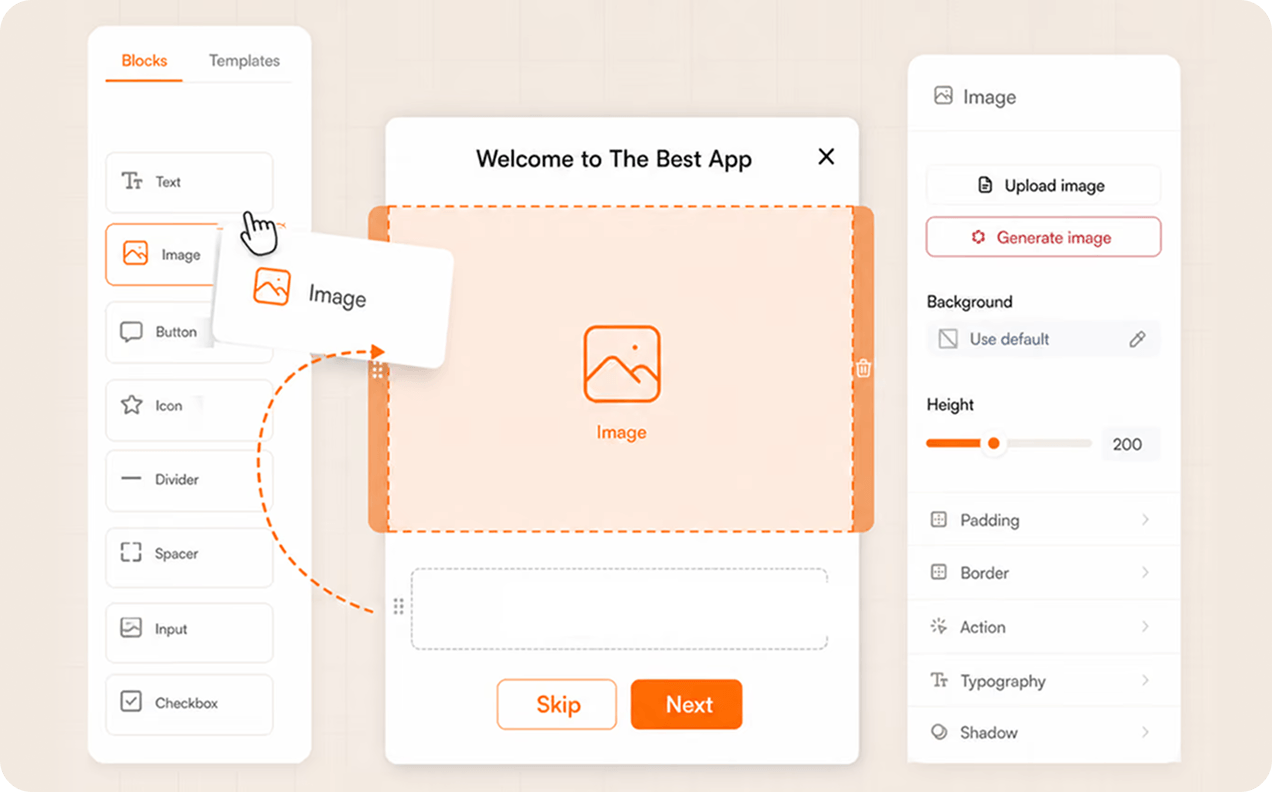
No-code editor. Built for customer-facing teams, not engineering.
Other onboarding tools assume you have a dev team free to wire up flows. Product Fruits lets the people who own onboarding build it themselves, no engineering ticket.
Drag and drop your flow in a visual editor, no code
Preview every change on your live app before users see it
Start from a template and launch your first flow in minutes
Get your feature launches noticed
A release note email in an inbox competes with everything else in that inbox. A Product Fruits banner inside the product doesn't.
Newsfeed post, banner or pop-up the moment the feature ships
Trigger on next login or any other event
Segment so only the accounts with access to the feature see it
Flows guide every user to the next right step
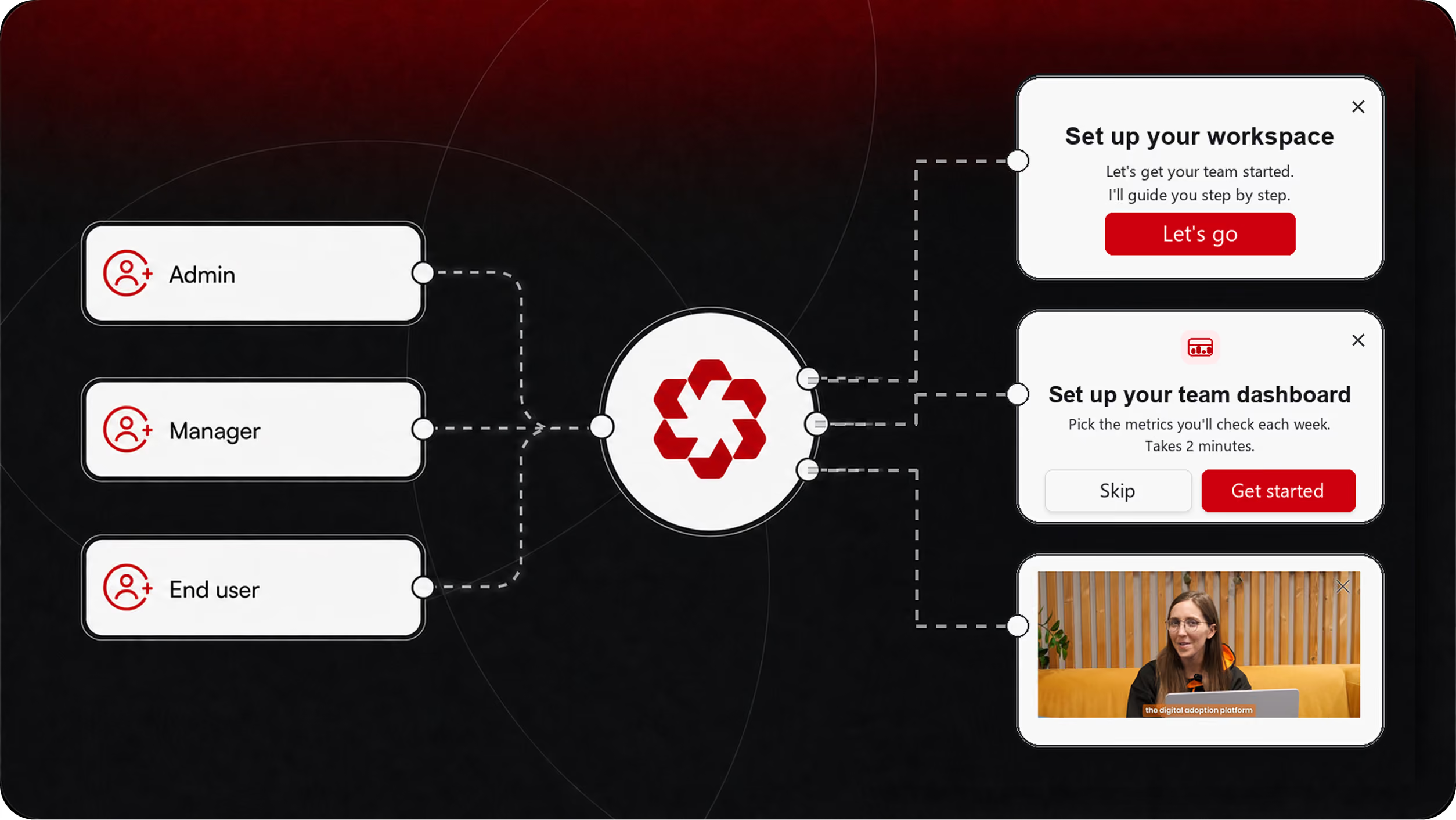
A 12-seat SMB and a 400-seat enterprise don't need the same onboarding. Neither does an admin and an end user. Product Fruits routes each user to the right flow automatically.
Segment by plan, geography, account size
Branching & conditional logic
Multilingual flows in your users' own language
Userpilot is good. Product Fruits is better.
Don't take our word for it. Here's what real users say about each tool on G2.

"The UI/UX make it easy for a new user to jump right in and start using this tool! I love the AI tool they provide and our CSM is always there to help!"
"The more items we tag for tracking, the slower our system becomes."
"Very responsive, fast AI. AI bot performance and its providing links to more information after a query is very impressive."
"Some downsides of Userpilot are its limited customization options, learning curve for advanced features, and relatively high cost."
"I was able to set a good first mile experience for my users with little to no effort. I like that the product gives me a lot of customisation options on how I wish to place and activate hints, tours and guides."
"The design of the flow builder is not user-friendly and feels counter-intuitive. Both myself and our designer find the process of building and navigating steps to be clunky; linking elements together is far more difficult than it should be."
"What I like best is how easy it makes user onboarding and feature adoption. Its intuitive UI, in-app guides and analytics help teams improve user engagement quickly while keeping the experience smooth and personalized."
"The editor for building flows is really difficult to use. Frequently changes are lost and have to be redone. Reporting is very difficult to gain any value from. No connection with other systems."
"The UI/UX make it easy for a new user to jump right in and start using this tool! I love the AI tool they provide and our CSM is always there to help!"
"The more items we tag for tracking, the slower our system becomes."
"Very responsive, fast AI. AI bot performance and its providing links to more information after a query is very impressive."
"Some downsides of Userpilot are its limited customization options, learning curve for advanced features, and relatively high cost."
"I was able to set a good first mile experience for my users with little to no effort. I like that the product gives me a lot of customisation options on how I wish to place and activate hints, tours and guides."
"The design of the flow builder is not user-friendly and feels counter-intuitive. Both myself and our designer find the process of building and navigating steps to be clunky; linking elements together is far more difficult than it should be."
"What I like best is how easy it makes user onboarding and feature adoption. Its intuitive UI, in-app guides and analytics help teams improve user engagement quickly while keeping the experience smooth and personalized."